
Copy Protection Solution for LabVIEW
Copy Protection Solution for LabVIEW – USB Dongle-based Software Copy Protection and Licensing
Buy Copy Protection Solution for LabVIEW with Rockey USB Authentication Dongle SDK. Protect LabVIEW projects, executables, code and software from unauthorized copying. Prevent cracking, reverse engineering & unauthorized use globally.
Key Features of Copy Protection Solution for LabVIEW Software USB Dongle
- Copy Protection Solution for LabVIEW applications
- Hardware-based LabVIEW software protection
- Rockey USB Authentication Software Dongle support
- Protects compiled LabVIEW executable files
- Supports LabVIEW USB dongle protection
- API/SDK integration with LabVIEW projects
- Sample VI files included with the SDK
- Low-level API implementation through supporting VI files
- Shell Method for automatic executable protection
- Binds protected software to an authorized USB dongle
- Encrypts application code to help prevent reverse engineering
- Helps prevent unauthorized software copying and distribution
- Supports hardware-based software licensing
- Suitable for LabVIEW project security
- Supports LabVIEW 8.5 and higher sample code
- Shell Method compatible with all LabVIEW versions
- Suitable for commercial LabVIEW software developers
- Useful for industrial automation, engineering, instrumentation, and test & measurement applications
- Available for software licensing and copy-protection deployments
- Suitable for individual projects, OEM applications, and bulk deployments
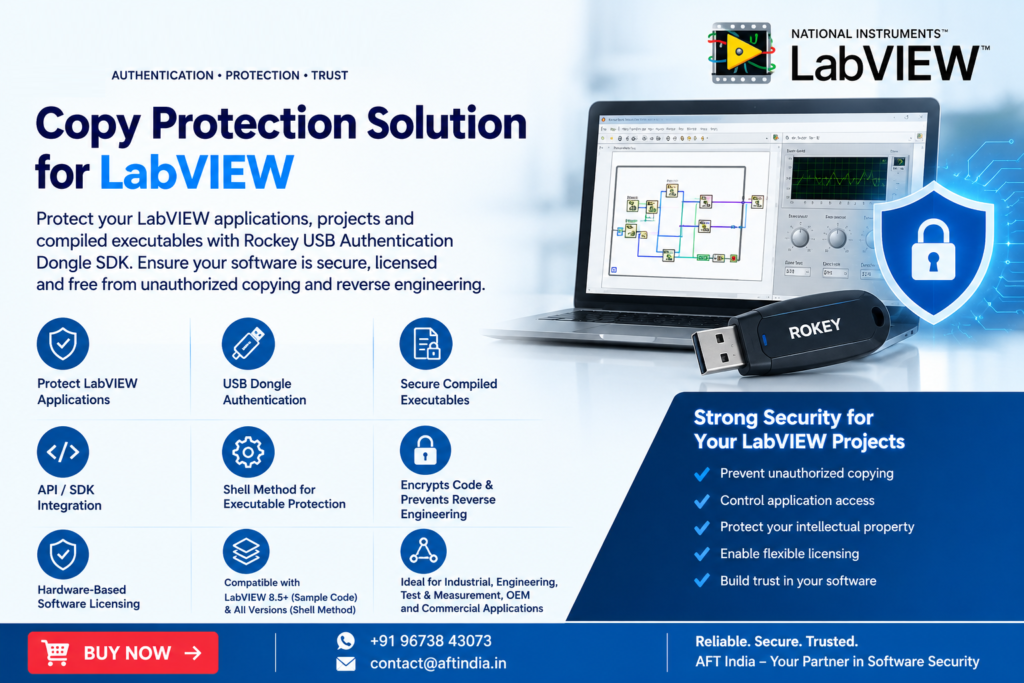
Copy Protection Solution for LabVIEW
Protect LabVIEW applications, projects, and compiled executables with a Copy Protection Solution for LabVIEW based on the Rockey USB Authentication Software Dongle SDK. The solution enables developers to integrate hardware-based authentication into LabVIEW applications and restrict software access to authorized USB security dongles.
Rockey provides two implementation approaches: API-based integration for LabVIEW projects and the Shell Method for protecting compiled LabVIEW executables. These options help software developers implement LabVIEW software protection, application licensing, USB dongle authentication, and protection against unauthorized copying and reverse engineering.
LabVIEW Software Protection with Rockey USB Dongle
The Rockey USB Authentication Software Dongle SDK includes sample VI files demonstrating communication between a LabVIEW project and the Rockey USB authentication dongle.
An additional VI file supplied with the SDK handles the low-level implementation required to call the Rockey API libraries. Developers can therefore integrate dongle authentication into their LabVIEW applications while using the provided API functionality.
This approach is suitable for LabVIEW project security, hardware-based software licensing, application authentication, and controlling access to proprietary LabVIEW software.
LabVIEW Executable Protection
The Rockey SDK also supports a Shell Method for automatically protecting compiled LabVIEW executables.
The Shell Method can:
- Protect compiled LabVIEW executable files
- Bind software access to a Rockey USB dongle
- Encrypt application code
- Help prevent unauthorized copying
- Reduce the risk of software reverse engineering
- Add hardware-based authentication to distributed applications
This provides a practical LabVIEW executable protection method when developers want to protect a compiled application without implementing all authentication functions directly within the source project.
LabVIEW USB Dongle Protection
A Rockey USB dongle can be used as a physical authentication mechanism for protected LabVIEW applications. The application can require the authorized USB security dongle before allowing access to protected software.
LabVIEW USB dongle protection can be useful for commercial software developers, industrial automation applications, engineering software, test and measurement applications, research software, and other proprietary LabVIEW-based solutions.
LabVIEW Anti-Piracy and Software Licensing
Protecting intellectual property is an important consideration when distributing commercial LabVIEW applications. The Rockey solution combines USB hardware authentication with application protection to help control unauthorized software usage.
The LabVIEW anti-piracy solution can be implemented through SDK/API integration or the Shell Method, depending on the application’s protection requirements.
For software vendors, this approach can support:
- Hardware-based software licensing
- Application access control
- Copy protection
- Executable protection
- Software authentication
- Intellectual property protection
- Protection against unauthorized distribution
LabVIEW Project Security
The Rockey SDK provides developers with tools for implementing LabVIEW project security through communication with a physical authentication dongle.
The supplied sample VI demonstrates the communication process, while the supporting VI handles the low-level API implementation. This allows developers to focus on integrating authentication and licensing functionality into their LabVIEW applications.
LabVIEW Version Compatibility
The supplied Rockey sample code is compatible with:
LabVIEW 8.5 and higher
The Shell Method is compatible with all versions of LabVIEW, providing an alternative for developers who need to protect compiled LabVIEW executables across different LabVIEW environments.
Key Features
| Feature | Description |
|---|---|
| Copy Protection | Protect LabVIEW applications against unauthorized copying |
| USB Authentication | Authenticate applications using a Rockey USB dongle |
| LabVIEW SDK | Includes sample VI files for LabVIEW integration |
| API Integration | Provides access to Rockey API libraries |
| Shell Method | Protect compiled LabVIEW executable files |
| Code Encryption | Encrypts protected application code |
| Reverse Engineering Protection | Helps prevent unauthorized analysis of protected code |
| Hardware Licensing | Bind software access to a physical authentication dongle |
| LabVIEW Compatibility | Sample code supports LabVIEW 8.5 and higher |
| Shell Compatibility | Shell Method supports all LabVIEW versions |
Who Needs a Copy Protection Solution for LabVIEW?
A Copy Protection Solution for LabVIEW can be used by organizations developing and distributing proprietary LabVIEW software, including:
- Industrial automation software developers
- Engineering software companies
- Test and measurement solution providers
- Research and development organizations
- OEM software developers
- Machine and equipment manufacturers
- Instrumentation companies
- LabVIEW application developers
- Commercial software vendors
Why Use Hardware-Based LabVIEW Protection?
Software distributed without authentication can potentially be copied and installed on unauthorized systems. A USB security dongle introduces a physical authentication layer between the protected application and the authorized user.
Rockey provides both API-based LabVIEW protection and executable-level protection through the Shell Method, allowing developers to select an implementation according to their software architecture and deployment requirements.
Technical Compatibility
Sample VI Compatibility: LabVIEW 8.5 and higher
Shell Method: All LabVIEW versions
Authentication Hardware: Rockey USB Authentication Software Dongle
Integration: Rockey API / VI
Protection Method: Hardware authentication and executable protection
Application Type: LabVIEW projects and compiled LabVIEW executables
Frequently Asked Questions
What is a Copy Protection Solution for LabVIEW?
A Copy Protection Solution for LabVIEW is a software and hardware security mechanism used to restrict access to LabVIEW applications and protect them against unauthorized copying. The Rockey USB Authentication Software Dongle SDK provides API-based integration and a Shell Method for protecting compiled LabVIEW executables.
How does LabVIEW USB dongle protection work?
A protected LabVIEW application can communicate with an authorized Rockey USB authentication dongle. The physical dongle provides a hardware-based authentication mechanism that can be used to control access to protected software.
Can Rockey protect a compiled LabVIEW executable?
Yes. The Rockey SDK supports a Shell Method that can automatically protect a compiled LabVIEW executable. It can bind the executable to the Rockey dongle and encrypt application code to help prevent unauthorized copying and reverse engineering.
Does the Rockey SDK support LabVIEW API integration?
Yes. The SDK includes sample VI files demonstrating communication between a LabVIEW project and the Rockey USB Authentication Software Dongle. A supporting VI provides the low-level implementation required to call the Rockey API libraries.
Which LabVIEW versions are supported?
The supplied sample code is compatible with LabVIEW 8.5 and higher. The Rockey Shell Method is compatible with all LabVIEW versions.
Can LabVIEW software be protected from reverse engineering?
The Rockey Shell Method encrypts the protected application code and is designed to make unauthorized reverse engineering more difficult. The exact level of protection depends on the application’s implementation and deployment environment.
Can AFT India supply Rockey USB security dongles?
AFT India can assist organizations looking for USB hardware-based software protection and authentication solutions. Contact AFT India with your LabVIEW application requirements, expected quantity, and licensing model to discuss the appropriate Rockey solution.
Buy Copy Protection Solution for LabVIEW
Protect your proprietary LabVIEW applications with Rockey USB Authentication Software Dongles and SDK from AFT India. Implement hardware-based authentication, protect compiled executables, and strengthen your software licensing strategy.
Contact AFT India for LabVIEW copy protection requirements, Rockey USB dongle pricing, SDK integration support, bulk quantities, and software licensing solutions.
Call / WhatsApp: +91 96738 43073
Email: contact@aftindia.in
Contact us
👉 Protect your software from piracy today with our Software Dongle licensing solution.
📩 Contact us now for demo, pricing, and integration support.
AFT PRODUCTION
219-B, Konark Hub, Pune 411048, Maharashtra, India
📞 +91 96738 43073 | ✉️ contact@aftindia.in | WhatsApp: +91 96738 43073
🌐 www.aftindia.in | https://aftproduction.com